
Reviewing the Most Comfortable VR Headsets for Extended Use
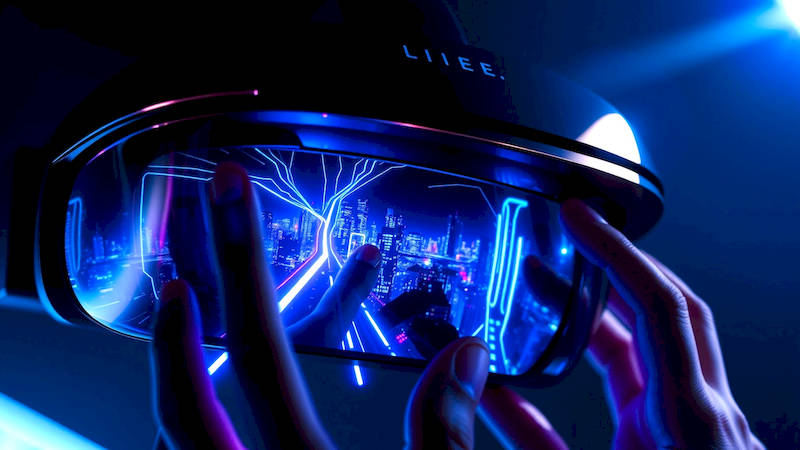
The world of virtual reality (VR) has exploded in recent years, moving beyond a futuristic promise to a tangible entertainment and utility platform. From immersive gaming and cinematic experiences to virtual training, collaborative workspaces, and even therapeutic applications, VR’s potential seems limitless. However, one critical factor often overlooked in the initial excitement is comfort. Extended VR sessions can quickly become unpleasant—and even physically debilitating—with ill-fitting or poorly designed headsets. A headset that pinches, feels too heavy, or induces motion sickness can ruin even the most compelling virtual experience.
This review delves into the comfort aspects of leading VR headsets, going beyond specifications to analyze ergonomics, weight distribution, adjustability, and materials. We’ll explore why comfort is paramount for maximizing immersion and minimizing fatigue, and provide a detailed comparison of the options currently available, helping you choose a headset perfectly suited for long-lasting, enjoyable VR experiences. Comfort isn’t merely about avoiding discomfort; it’s about allowing yourself to forget you’re wearing a headset, fully losing yourself in the digital world.
This is especially crucial considering the rising trend of ‘metaverse’ initiatives and extended virtual socializing. Spending hours in virtual spaces will necessitate hardware designed for prolonged use, moving beyond quick gaming sessions to sustained, engaging interactions. Furthermore, increased adoption for professional training, surgery simulations, and therapeutic interventions highlights the necessity of comfortable headsets that can accommodate diverse users and extended duration sessions without causing physical strain.
- The Importance of Ergonomics and Weight Distribution
- Assessing Headset Materials and Facial Interfaces
- Standout Contenders: Examining Specific Headsets
- Adjustability: A Key to Personalized Comfort
- Addressing Motion Sickness and Eye Strain
- The Future of VR Comfort: Innovations on the Horizon
- Conclusion: Prioritizing Comfort for the Immersive Future
The Importance of Ergonomics and Weight Distribution
Headset comfort isn’t a single feature; it's a complex equation involving several factors. Chief among these are ergonomics and weight distribution. A poorly designed headset concentrates weight in uncomfortable areas, like the bridge of the nose or the forehead, leading to pressure points and fatigue. Ideal headsets distribute weight more evenly across the head, utilizing halo bands, counterweights, or adjustable head straps to minimize strain. The shape and curvature of the facial interface also play a crucial role; a poorly fitted interface can cause discomfort and light leakage, impacting immersion and causing eye strain.
Consider the impact of "sweet spot" alignment. Many VR headsets require precise positioning relative to your eyes to achieve optimal clarity. Constantly adjusting the headset to maintain this sweet spot is not only disruptive but also contributes to fatigue. Good ergonomic design incorporates features like adjustable lenses (IPD and eye relief) and flexible facial interfaces to accommodate a wider range of facial structures and visual needs. “We’re seeing a significant shift in design philosophy,” notes Dr. Emily Carter, a researcher at the Virtual Human Interaction Lab at Stanford University. “Early headsets prioritized technology over comfort. Now, manufacturers understand that comfort is inseparable from a positive VR experience; a comfortable headset leads to longer sessions and increased engagement.”
Beyond physical comfort, weight distribution impacts balance and stability. A front-heavy headset can feel unwieldy and contribute to motion sickness, especially during dynamic movements within VR applications. A well-balanced headset feels secure and stable, allowing for greater freedom of movement and reducing the risk of nausea.
Assessing Headset Materials and Facial Interfaces
The materials used in a VR headset significantly impact its comfort. Hard plastics, while durable, can quickly become uncomfortable during extended use. Manufacturers are increasingly adopting softer, more breathable materials like fabrics, memory foam, and silicone for facial interfaces and head straps. Breathability is crucial; prolonged contact with non-breathable materials can lead to sweating and discomfort, particularly during physically active VR experiences.
Facial interfaces come in various designs, each with its own advantages and disadvantages. Common materials include polyurethane foam (PU), which offers good cushioning, and silicone, which is easier to clean and more durable. Hybrid interfaces, combining PU and silicone, are also becoming popular. However, the fit and shape of the interface are just as important as the material. Some headsets offer interchangeable facial interfaces to accommodate different face shapes and sizes. Proper sealing around the eyes is critical to minimize light leakage and maximize visual fidelity.
The potential for hygiene is also a vital consideration. Facial interfaces come into direct contact with skin and can harbor bacteria. Being able to easily remove and clean the interface is essential for maintaining hygiene, especially if the headset is used by multiple people. Manufacturers are experimenting with antimicrobial materials and coatings to further enhance hygiene.
Standout Contenders: Examining Specific Headsets
Several VR headsets consistently rank highly in comfort assessments. The HP Reverb G2 stands out for its relatively lightweight design and comfortable head strap. It distributes weight well and features a removable, washable facial interface. While its tracking isn't as robust as some competitors, its exceptional visual clarity and comfortable fit make it a popular choice for simulation and productivity applications. The HTC Vive Pro 2, while more expensive, offers a highly adjustable design and a wide range of compatible facial interfaces, allowing users to customize the fit to their specific needs.
The Meta Quest 3 has greatly improved in comfort versus its predecessors. Its slimmer profile and redesigned strap system provide a more balanced and secure fit. The halo strap design distributes weight more evenly, reducing pressure on the face. However, some users still prefer the optional Elite Strap for even greater stability and support. On the high end, the Varjo Aero prioritizes visual fidelity, but it doesn’t skimp on ergonomics; while heavier, its premium materials and adjustable design help mitigate discomfort.
Finally, the Pico 4 offers a compelling blend of affordability and comfort. Its pancake lenses contribute to a slimmer, more balanced profile, and its adjustable head strap provides a secure fit for a wide range of head sizes. Customer reviews consistently praise the Pico 4’s comfort for long gaming sessions.
Adjustability: A Key to Personalized Comfort
A headset's adjustability isn't just a bonus – it's a necessity. A one-size-fits-all approach rarely works when it comes to VR comfort. The ability to adjust interpupillary distance (IPD), eye relief, and head strap tension is crucial for achieving a clear and comfortable experience. IPD adjustment ensures that the lenses align with your pupils, while eye relief adjustment allows you to position your eyes at the optimal distance from the lenses.
Adjustable head straps are essential for securing the headset firmly and comfortably. Many headsets offer multiple adjustment points, allowing you to fine-tune the fit. Consider the ease of adjustment; cumbersome or difficult-to-reach adjustment mechanisms can be frustrating and inconvenient. Some headsets offer automatic IPD adjustment, using eye-tracking technology to automatically adjust the lenses for optimal clarity. This feature is particularly beneficial for users who are unsure of their IPD or who experience eye strain.
The ability to swap out facial interfaces to accommodate different face shapes is also a significant advantage. Companies like VR Cover offer a range of custom-fit facial interfaces for popular headsets. Investing in a compatible facial interface can dramatically improve comfort and hygiene.
Addressing Motion Sickness and Eye Strain
Comfort isn't just about physical fit; it also encompasses mitigating physiological discomfort like motion sickness and eye strain. Motion sickness in VR occurs when there’s a mismatch between what your eyes see and what your inner ear senses. High refresh rates (90Hz or higher) and low persistence displays can help reduce motion sickness by minimizing latency and improving visual clarity.
Proper IPD and eye relief adjustment are also crucial for preventing eye strain. Incorrect settings can force your eyes to work harder to focus, leading to fatigue and discomfort. Taking frequent breaks during extended VR sessions is essential for reducing eye strain. The “20-20-20 rule” – looking at something 20 feet away for 20 seconds every 20 minutes – can help alleviate eye fatigue.
Consider the VR content itself. Fast-paced, jerky movements and artificial locomotion (moving within VR without physically moving) can exacerbate motion sickness. Opt for experiences with smooth movement and minimal artificial locomotion, particularly when you’re first getting accustomed to VR.
The Future of VR Comfort: Innovations on the Horizon
The pursuit of VR comfort is an ongoing process. Researchers and manufacturers are constantly exploring new materials, designs, and technologies to enhance the VR experience. Haptic feedback vests and suits, while still in their early stages of development, promise to add another layer of immersion and potentially enhance comfort by providing a sense of physical presence.
Advancements in eye-tracking technology will lead to more dynamic foveated rendering, focusing processing power on the area of the screen you're actively looking at, enhancing visual clarity and reducing motion sickness. Brain-computer interfaces (BCIs), while still largely experimental, could potentially eliminate the need for external headsets altogether, creating a truly immersive VR experience without any physical discomfort.
Ultimately, the future of VR comfort lies in personalized solutions. Headsets that can dynamically adapt to individual users' head shapes, visual needs, and physiological responses will revolutionize the VR experience, unlocking its full potential for entertainment, education, and beyond.
Conclusion: Prioritizing Comfort for the Immersive Future
Choosing the right VR headset isn’t solely about resolution, tracking accuracy, or processing power. Comfort is the linchpin of a truly immersive and enjoyable VR experience, especially as we move towards longer and more frequent virtual interactions. The headsets discussed—HP Reverb G2, HTC Vive Pro 2, Meta Quest 3, Varjo Aero, and Pico 4—each offer different strengths in this regard, but all represent a significant improvement over earlier generations.
Key takeaways include the importance of prioritizing ergonomics, weight distribution, adjustability, and materials. Don’t underestimate the impact of a well-fitted facial interface and the potential to mitigate motion sickness and eye strain through proper settings and content selection. Before making a purchase, research user reviews specifically addressing comfort, and, if possible, try the headset yourself. The ultimate goal is to find a headset that fades into the background, allowing you to fully lose yourself in the limitless possibilities of virtual reality. Consider your primary use cases, head shape, and budget when making your decision – and remember that a comfortable VR experience is worth the investment.
Deja una respuesta