
Building a Health Dashboard with Multiple Fitness Gadgets and Apps
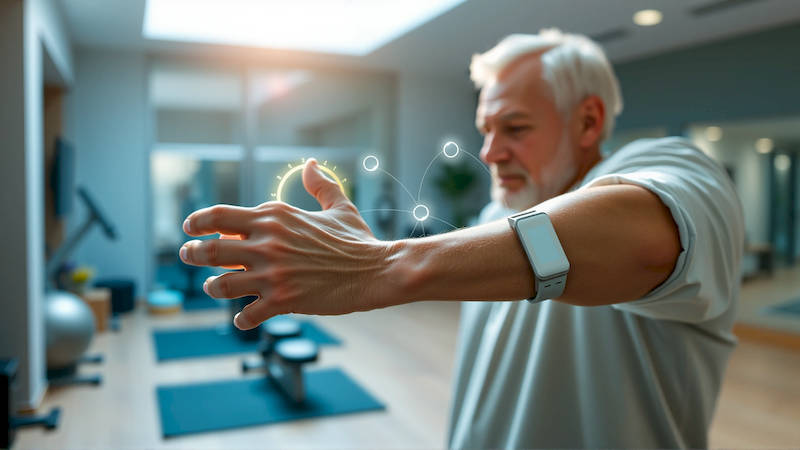
The pursuit of optimal health and wellness is increasingly data-driven. We’re no longer satisfied with simply feeling good; we want to know we're progressing, identifying areas for improvement, and proactively managing our well-being. This shift has fueled a boom in fitness gadgets and health apps, presenting both opportunity and, frankly, overwhelm. Simply owning a smartwatch or several apps isn’t enough. The real power lies in seamlessly integrating these tools into a unified health dashboard – a central source of truth for all your health data. This isn’t merely about quantifying metrics; it's about translating that data into actionable insights and, ultimately, healthier habits.
This article will guide you through the process of building a comprehensive health dashboard leveraging the devices and apps already in your life, or helping you select the best ones for your needs. We’ll explore compatibility challenges, data synchronization methods, the importance of data privacy, and how to interpret the information to maximize your health gains. We'll move beyond just tracking steps and delve into the nuances of comprehensive health monitoring, moving beyond simple activity to holistic wellness.
- Choosing the Right Gadgets & Apps: A Foundation for Integration
- Centralizing Your Data: The Role of Health Platforms
- Data Synchronization: Addressing the Challenges
- Interpreting the Data: Beyond Numbers on a Screen
- Enhancing Privacy and Security: Protecting Your Health Data
- Beyond the Basics: Advanced Integration Possibilities
- Conclusion: Empowering Your Health Journey
Choosing the Right Gadgets & Apps: A Foundation for Integration
Before diving into integration, careful selection is paramount. Don’t fall into the trap of buying the latest gadget simply because of its hype. Begin by identifying your health priorities. Are you focused on cardiovascular fitness, strength training, sleep quality, nutrition, or stress management? Different gadgets and apps excel in specific areas. A runner might prioritize a GPS-enabled running watch like a Garmin Forerunner, while someone focused on sleep may benefit from a dedicated sleep tracker like an Oura Ring. Consider the ecosystem a device participates in – Apple Health, Google Fit, or a manufacturer's proprietary platform.
Compatibility is king. Ensure the gadgets and apps you choose can communicate effectively. Look for devices that natively integrate with your preferred platform (Apple HealthKit, Google Fit, Samsung Health) or utilize open APIs that allow data exchange via third-party services like IFTTT or Zapier. Don’t underestimate the value of simplicity. Starting with two or three core devices and apps is better than attempting to integrate a dozen at once. Examples of starting points could include a Fitbit tracker paired with MyFitnessPal for nutrition tracking, and a Headspace subscription for mindfulness. Think about data formats; can the app import the data type from the gadget or will you need to manually upload it?
Finally, assess the app’s data privacy policies. Your health data is incredibly sensitive, and you need to be confident that your information is secure and protected. Read the fine print, understand how the app uses your data, and choose reputable providers with a strong track record of privacy protection. Consider apps employing end-to-end encryption and those that offer granular control over data sharing permissions.
Centralizing Your Data: The Role of Health Platforms
Apple Health and Google Fit are the dominant players in aggregating health data on mobile platforms. Although both are focused on their respective ecosystems, they offer impressive capabilities. Apple Health, available on iOS devices, automatically collects data from Apple Watch and compatible third-party apps, providing a unified view of activity, sleep, nutrition, mindfulness, and more. Google Fit, on Android, functions similarly, integrating data from Wear OS smartwatches and numerous fitness apps. These platforms aren’t just passive repositories; they offer insights, trends, and shareable reports.
However, relying solely on these platforms can be limiting for those with a diverse range of gadgets and apps. Consider cross-platform aggregators like Health Mate (Withings) or Samsung Health, even if you don't own devices from those specific brands. These services often support a wider range of devices and provide more flexible data synchronization options. IFTTT (If This Then That) and Zapier, although primarily automation tools, can be used to bridge gaps between disparate apps and devices. For example, you could use IFTTT to automatically log your weight from a smart scale into your food tracking app. The key is to find a central hub that can reliably collect and organize your data.
Beyond the big names, dedicated platforms targeting specific niches are emerging. For example, platforms focused on biohacking and longevity, like InsideTracker, integrate data from various sources – DNA tests, blood work, and wearable sensors – to provide personalized recommendations.
Data Synchronization: Addressing the Challenges
Seamless data synchronization is the holy grail of health dashboard building, yet it’s often the most challenging aspect. Direct integration is ideal, but not always possible. Many apps and devices default to proprietary data formats, making interoperability difficult. Bluetooth connections can be unreliable, leading to data loss or delays in synchronization. Cloud-based synchronization is generally more robust, but requires a stable internet connection and raises privacy concerns.
The best approach is to prioritize app and device integrations where possible. Regularly check that your devices are syncing to your chosen platform. Manually syncing can sometimes resolve minor connectivity issues. If automatic synchronization fails, explore alternative methods. Some apps offer the ability to export data in common formats (e.g., CSV, TCX) which you can then manually import into other platforms. This, while tedious, can bridge gaps when direct integration isn’t available. Consider utilizing APIs if you are tech-savvy. Many fitness platforms offer access to their data through APIs allowing for more customized integration but requiring some programming experience.
Remember to regularly audit your integrations. Apps and devices update frequently, and changes can sometimes break existing connections. Stay vigilant and proactively troubleshoot any synchronization issues that arise.
Interpreting the Data: Beyond Numbers on a Screen
Collecting data is only half the battle. The real value lies in understanding what the data means and using it to inform your health decisions. Don't simply focus on vanity metrics like step count. Dig deeper into the trends and patterns revealed by your dashboard. Are you consistently getting enough deep sleep? Is your heart rate variability (HRV) declining, potentially indicating increased stress or fatigue? Are you hitting your macro targets consistently?
Look for correlations between different data points. For example, does your sleep quality improve on days when you engage in regular exercise? Does consuming a high-sugar snack negatively impact your HRV? These correlations can provide valuable insights into your body's unique responses to different stimuli. Utilize the analytical tools provided by your chosen health platform, or explore third-party apps that offer more advanced data visualization and analysis capabilities. Consider consulting with a healthcare professional or certified health coach to help you interpret your data and develop a personalized health plan. A doctor can help discern what is statistically significant and identify anything that might require intervention.
Enhancing Privacy and Security: Protecting Your Health Data
As you build your health dashboard, safeguarding your data is critical. Sharing your health information with third-party apps and services comes with inherent risks. Always review the app's privacy policy before granting access to your data. Be mindful of the permissions you grant – do you really need an app to access your location data for basic activity tracking?
Utilize strong passwords and enable two-factor authentication whenever possible. Regularly review the apps and devices that have access to your health data and revoke access for those you no longer use. Consider using a virtual private network (VPN) to encrypt your internet connection, especially when using public Wi-Fi. Be aware of the data sharing practices of your chosen health platform. Apple and Google have made strides in privacy protection, but it’s still important to understand how your data is being used. Regularly back up your data to a secure location, in case of device loss or platform failures.
Beyond the Basics: Advanced Integration Possibilities
Once you've established a solid foundation, you can explore more advanced integration possibilities. Consider connecting your health dashboard to other smart home devices, like smart scales, smart thermostats, or smart lighting systems. For example, you could automate your thermostat to lower the temperature during sleep to optimize sleep quality. Utilizing voice assistants such as Alexa or Google Assistant to query your health data ("Alexa, what was my average heart rate yesterday?") can add an extra layer of convenience.
Furthermore, explore the potential of API integration for personalized alerts and recommendations. For instance, an app could automatically adjust your workout intensity based on your HRV data or suggest a mindfulness exercise when it detects signs of stress. The possibilities are endless, limited only by your creativity and technical skills.
Conclusion: Empowering Your Health Journey
Building a comprehensive health dashboard is an ongoing process, not a one-time task. It requires careful planning, thoughtful selection of gadgets and apps, and a commitment to data privacy and security. But the rewards are substantial: a deeper understanding of your body, personalized insights for improved health, and the empowerment to take control of your well-being.
Key takeaways include prioritizing integration from the outset, choosing a central data hub, understanding the nuances of data synchronization, and interpreting your data beyond simple numbers. Don’t be afraid to experiment and iterate. The ideal health dashboard is unique to you, reflecting your individual needs and goals. Start small, build incrementally, and embrace the power of data to unlock a healthier, more fulfilling life. Begin by assessing your current fitness tracking setup, identifying one area for improvement, and researching the tools and platforms that can help you achieve that goal. Your health is your greatest asset – invest the time and effort to understand and optimize it.
Deja una respuesta