
Essential Gadgets for Enhancing Video Calls on Smartphones
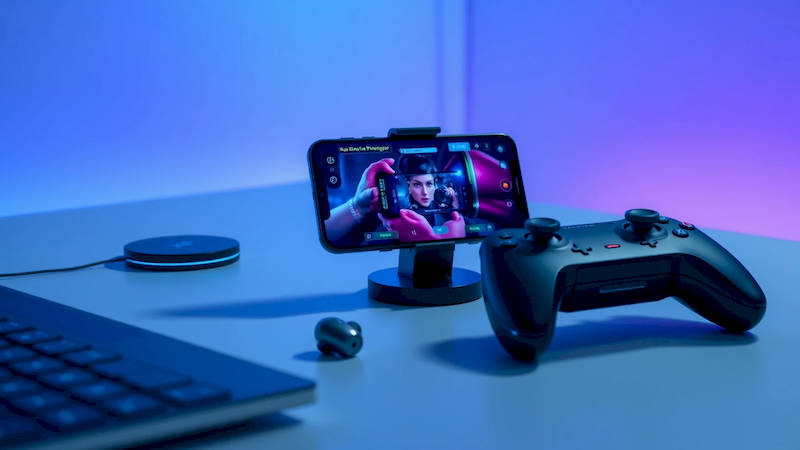
The world has become increasingly reliant on video calls, shifting from occasional convenience to a cornerstone of professional communication, personal connection, and even healthcare consultations. While smartphones have become remarkably capable video call devices, their built-in features often fall short of delivering a truly polished and professional experience. Poor audio, shaky visuals, and inadequate lighting can all contribute to frustrating interactions and diminished impact. Fortunately, a thriving ecosystem of mobile accessories exists designed specifically to elevate the quality of your smartphone video calls, turning everyday conversations into clear, engaging, and productive experiences. This isn’t simply about aesthetics; it's about ensuring your message is conveyed effectively and professionally, regardless of your location.
With remote work arrangements continuing to evolve and video conferencing becoming ubiquitous, investing in the right accessories is no longer a luxury but a necessity. From improving audio clarity to stabilizing footage and boosting lighting, these gadgets address common video call pitfalls. A recent study by Zoom revealed that 63% of users have experienced technical difficulties during video calls, with audio and video quality being the most frequently cited issues. This highlights a significant need for solutions – and the accessories we’ll discuss aim to tackle these challenges head-on.
This article will delve into the essential gadgets that can significantly enhance your smartphone video calling experience, providing comprehensive insights, practical advice, and the knowledge needed to choose the right tools for your needs. We’ll move beyond superficial descriptions, offering detailed explanations of how these gadgets function and how they can impact your overall presence and effectiveness during video calls.
- Optimizing Audio: External Microphones for Crystal-Clear Communication
- Stabilizing Your View: Smartphone Gimbals and Tripods for Professional Footage
- Illuminating Your Presence: Portable LED Lights for Optimal Visibility
- Boosting Your Sound: Bluetooth Headsets and Earbuds for Private Conversations
- Expanding Your Reach: Wireless Phone Chargers and Power Banks for Uninterrupted Calls
- Conclusion: Investing in a Superior Video Calling Experience
Optimizing Audio: External Microphones for Crystal-Clear Communication
The built-in microphones on smartphones, while improving, often struggle to capture clear audio in less-than-ideal environments. Background noise, echo, and distance from the device can all significantly degrade sound quality, making it difficult for others to hear you. External microphones specifically designed for smartphones provide a substantial improvement in audio fidelity, focusing on capturing your voice while minimizing unwanted sounds. There's a wide variety available, from simple lavalier mics to more sophisticated shotgun microphones.
Lavalier (or lapel) microphones clip onto your clothing, positioning the microphone close to your mouth for clearer audio capture. These are incredibly popular for presenters and anyone who moves around frequently during calls. Shotgun microphones, on the other hand, are directional, meaning they focus on capturing sound from a specific direction, rejecting noise from the sides and rear. These are ideal for stationary calls, where you’ll remain in a fixed position. Popular options include the Rode SmartLav+ (lavalier) and the Rode VideoMic Me-L (shotgun), both renowned for their audio quality and ease of use with iOS and Android devices. Consider the environment you’ll be calling from most often. A bustling coffee shop demands a more robust noise-canceling solution, like a lavalier mic with built-in filtering, while a quiet home office might benefit from the focused pickup of a shotgun mic.
Beyond the microphone type, consider the connection method. Many microphones connect via the 3.5mm headphone jack (though increasingly rare on newer phones) or via USB-C/Lightning. Wireless options are also available, offering greater freedom of movement, but typically come with a higher price tag and require regular charging. A crucial, often overlooked aspect is testing – always record a sample call with the microphone to verify the sound quality and adjust settings if necessary.
Stabilizing Your View: Smartphone Gimbals and Tripods for Professional Footage
Shaky footage is incredibly distracting and can portray an unprofessional image during video calls. Even slight hand tremors can be amplified when viewed on a larger screen. Smartphone gimbals and tripods are essential accessories for stabilizing your video, providing smooth, steady footage that keeps the focus on you and your message. Gimbals offer dynamic stabilization, actively countering movement to create incredibly smooth video, while tripods provide a static, stable platform.
Smartphone gimbals utilize motors and sensors to counteract vibrations and movements, resulting in remarkably stable footage. Brands like DJI and Zhiyun offer a range of gimbals designed for smartphones, varying in features and price. Some gimbals even include intelligent features like object tracking and automated panning. A tripod, on the other hand, is a simpler but equally effective solution, particularly for stationary calls. Choose a tripod that is lightweight, compact, and adjustable to accommodate different viewing angles. Consider a tabletop tripod for desk use or a full-size tripod for greater flexibility. “The key is to choose the right tool for the job,” notes tech reviewer David Pierce from The Verge. “A gimbal is fantastic for walking and talking, while a tripod is ideal for presentations or longer calls where you need a stable shot.”
Don’t underestimate the power of a simple, well-positioned tripod. It can instantly elevate the professionalism of your video calls, removing distractions and focusing attention on your presentation.
Illuminating Your Presence: Portable LED Lights for Optimal Visibility
Poor lighting can significantly detract from your video call experience. Backlighting, harsh shadows, or dim lighting can make you appear less visible and less engaging. Portable LED lights designed for smartphones provide a quick and effective solution, illuminating your face evenly and ensuring you are clearly visible to others. These lights are compact, affordable, and often offer adjustable brightness and color temperature settings.
Ring lights, which encircle your smartphone camera, are a popular option, providing soft, diffused lighting that eliminates shadows and creates a flattering look. Panel lights, on the other hand, offer a wider beam of light and can be positioned to illuminate a larger area. Many LED lights clip directly onto your smartphone or come with adjustable stands for flexible positioning. "Good lighting is arguably the most important element of a successful video call," explains communication expert Dr. Amy Cuddy. "It conveys confidence, establishes rapport, and ensures you are seen as approachable." Consider the color temperature of the light as well. Warm light (around 2700K) creates a cozy and inviting atmosphere, while cool light (around 6500K) provides a more professional and energetic look.
Experiment with different lighting setups to find what works best for your environment and skin tone. Avoid placing the light directly behind you, as this will create a silhouette.
Boosting Your Sound: Bluetooth Headsets and Earbuds for Private Conversations
While external microphones improve input quality, headphones and earbuds enhance your listening experience, ensuring you hear callers clearly and minimizing distractions. Bluetooth headsets and earbuds are especially useful for private calls or when you need to move around freely during a conversation. Noise-canceling technology is a critical feature to look for, blocking out background noise and allowing you to focus on the conversation.
Noise-canceling earbuds, like the Apple AirPods Pro or Sony WF-1000XM4, utilize sophisticated algorithms to filter out unwanted sounds, creating a more immersive and focused listening experience. Bluetooth headsets, like the Jabra Evolve series, offer similar noise-cancellation capabilities and often include features like boom microphones for clear voice transmission. Consider the comfort of the headset or earbuds, especially for long calls. Ergonomic designs and customizable ear tips can make a significant difference. Moreover, be aware of the battery life – invest in models that provide several hours of talk time on a single charge.
In a shared workspace or a noisy environment, a good pair of noise-canceling earbuds or a Bluetooth headset can be the difference between a productive conversation and a frustrating struggle to hear.
Expanding Your Reach: Wireless Phone Chargers and Power Banks for Uninterrupted Calls
Running out of battery mid-call is an inevitable nightmare. Keeping your smartphone charged is crucial for uninterrupted video communication. Wireless phone chargers and power banks offer convenient solutions, ensuring your device stays powered up throughout your meetings and conversations. Wireless chargers provide a hassle-free charging experience, while power banks offer portable power on the go.
Wireless chargers are compatible with smartphones that support Qi wireless charging. Simply place your phone on the charging pad and it will begin charging automatically. Power banks, on the other hand, are portable batteries that can be used to charge your phone when you don't have access to an outlet. Choose a power bank with sufficient capacity to fully charge your phone multiple times. Look for models with Power Delivery (PD) technology for faster charging speeds. “Having a reliable power source readily available eliminates a significant source of anxiety during important video calls,” points out tech blogger Sarah Jacobs.
Don't wait until your battery is low to start charging – proactively keep your smartphone topped up to avoid interruptions.
Conclusion: Investing in a Superior Video Calling Experience
In today’s digitally connected world, mastering the art of the video call is essential. The right accessories can transform your smartphone into a powerful communication tool, enhancing clarity, professionalism, and overall impact. From optimizing audio with external microphones to stabilizing footage with gimbals and tripods, illuminating your presence with LED lights, and ensuring uninterrupted power with chargers and power banks, the options available are vast.
The key takeaway is to identify your specific needs and challenges – consider your typical calling environment, the length of your calls, and your budget. Investing in even a few key accessories can make a dramatic difference in your video call experience, boosting your confidence and ensuring your message is conveyed effectively. Don’t settle for subpar audio and shaky visuals; take control of your video presence and elevate your communication to the next level. Start with addressing your biggest pain point; perhaps it’s audio quality, then move onto lighting. A seamless video call experience isn't about having all the gadgets, it's about having the right gadgets for you.
Deja una respuesta