
Essential Mobile Accessories for Remote Work Efficiency
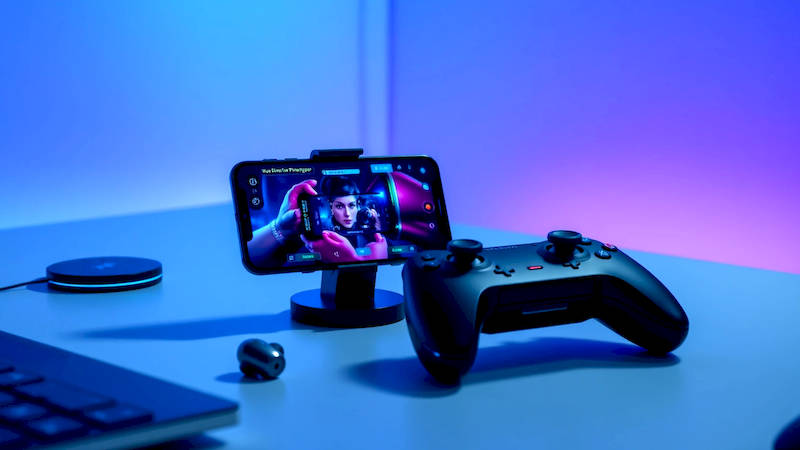
The shift towards remote work, accelerated by global events, has fundamentally altered how we approach productivity. No longer tethered to traditional office setups, professionals are increasingly reliant on their mobile devices – smartphones and tablets – as central hubs for communication, collaboration, and task management. But the full potential of mobile-based remote work isn't unlocked by the devices themselves; it’s realized through thoughtful selection and integration of complementary accessories. These aren’t mere add-ons, but rather tools that mitigate the downsides of untethered work, bolster comfort, and ultimately, amplify efficiency.
The challenge isn’t just about having a mobile office; it’s about replicating (or even surpassing) the comfort and functionality of a traditional workspace. Prolonged use of mobile devices without ergonomic support leads to strain and fatigue, hindering output. Similarly, relying solely on built-in features often leaves gaps in functionality, reducing seamlessness in workflows. The right accessories transform a smartphone or tablet from a convenient communication tool into a powerful, portable workstation, adapting to a variety of remote work scenarios.
This article delves into the essential mobile accessories that can dramatically improve remote work efficiency. We’ll explore options for power, ergonomics, audio, security, and specialized tasks, providing detailed insights and practical recommendations to help you build a mobile workspace tailored to your individual needs. Understanding that one size doesn’t fit all, we’ll also consider different work styles and budget considerations.
Power Up: Portable Charging Solutions & Power Banks
The anxiety of a dwindling battery is a productivity killer, particularly when working remotely away from readily available outlets. Relying solely on sporadic access to mains power isn’t sustainable. A robust power strategy, therefore, forms the cornerstone of mobile work efficiency. This starts with investing in high-quality portable charging solutions beyond the standard charging cable that came with your device.
Power banks, varying dramatically in capacity (measured in mAh – milliampere-hours), are vital. A 10,000mAh power bank can typically recharge a smartphone 2-3 times, while larger banks (20,000mAh+) can handle multiple charges or even power a tablet. Beyond capacity, prioritize banks with Power Delivery (PD) and Quick Charge (QC) compatibility to maximize charging speed. Look for models that support USB-C, especially if your devices utilize this standard. Modern smartphones and tablets can take advantage of the faster charging capabilities that PD and QC provide, slashing recharge times. Experts recommend at least a 15W PD power bank for a noticeable speed boost.
Furthermore, consider wireless charging pads or stands. These eliminate the hassle of cables and offer a convenient way to top up your device on the go, especially if your device supports wireless charging. Investing in a magnetic wireless charger, like those compatible with MagSafe on iPhones, adds further convenience, ensuring consistent alignment and optimal charging efficiency. Don't underestimate the benefit of a multi-device wireless charger; these can handle your phone, earbuds, and smartwatch simultaneously, streamlining your charging setup.
Ergonomics on the Go: Stands, Keyboards & Mice
Prolonged use of a smartphone or tablet in an awkward position inevitably leads to musculoskeletal discomfort, significantly impacting productivity and potentially leading to long-term health issues. Creating an ergonomic mobile workspace is, therefore, crucial. This goes beyond simply finding a comfortable chair; it demands accessories that address the physicality of mobile device usage.
Adjustable mobile stands are transformative. These elevate your device to eye level, reducing neck strain and promoting better posture. Look for stands with multiple viewing angles and robust build quality. Foldable and compact designs are ideal for travel. Coupled with a portable Bluetooth keyboard, you can transform your tablet into a surprisingly effective laptop replacement. The key is to choose a keyboard with a comfortable key travel and layout that suits your typing style. Many compact keyboards offer features like backlit keys and scissor-switch mechanisms for a better typing experience. Wireless mice are equally important, offering precise cursor control that touchscreen interactions simply can't match.
Consider utilizing a laptop stand with your tablet, coupled with your keyboard and mouse. This allows you to create a more traditional laptop-like workstation, even without carrying a full laptop. This setup is particularly useful for tasks requiring extensive typing or complex navigation. A study by the University of California, Berkeley, found that using an external keyboard and mouse with a tablet increased typing speed by 20% and reduced error rates by 15%.
Enhance Communication: Noise Cancelling Headphones & Microphones
Remote work thrives on clear and effective communication. However, noisy environments – cafes, co-working spaces, or even home offices with family distractions – can severely impede communication quality. Investing in noise-cancelling headphones or a dedicated microphone is a non-negotiable for professionals who participate in frequent video conferences or phone calls.
Noise-cancelling headphones, employing both passive and active noise cancellation (ANC) technologies, filter out ambient sounds, allowing you to focus on the conversation and ensuring your voice is heard clearly. ANC headphones are particularly effective at blocking out constant low-frequency sounds like engine rumble or background chatter. Features like ambient sound mode allow you to quickly switch between noise cancellation and awareness of your surroundings, adding versatility. Don’t just focus on noise cancelling performance; consider call quality as well. Look for headphones with multiple microphones and beamforming technology, which isolates your voice and suppresses background noise.
Alternatively, a dedicated USB microphone can significantly improve audio quality during video conferences. Many high-quality USB microphones offer cardioid polar patterns, which capture sound from directly in front of the microphone while rejecting sounds from other directions, minimizing background noise. Post-production software, such as Krisp, has become popular for further enhancing audio quality, removing noise and echo in real time.
Security & Privacy: Screen Protectors & VPN Services (as Accessories)
Protecting sensitive work data is paramount, especially when working remotely on mobile devices. From confidential documents to client information, safeguarding your data requires a multi-layered approach including robust physical and digital security measures. While not physical “accessories” in the conventional sense, privacy-focused tools and screen protectors are vital complements to your mobile setup.
A high-quality tempered glass screen protector is essential for preventing scratches, cracks, and visual compromise – particularly important if your work involves handling visually sensitive information. Privacy screen protectors further enhance security by limiting the viewing angle, preventing onlookers from easily reading your screen in public spaces. These employ a "louvered" effect, making the screen appear normal when viewed directly but blurred when viewed from the sides.
Furthermore, utilizing a reputable Virtual Private Network (VPN) service adds a crucial layer of security, encrypting your internet connection and masking your IP address. This protects your data from interception by hackers, especially when connecting to public Wi-Fi networks. Choosing a VPN service with a strict no-logs policy is critical to ensure your online activity remains private. Researching and selecting a VPN service represents an investment in your data security, and is easily implemented on your mobile devices.
Specialized Accessories: Adapters, Styluses & Mobile Hotspots
Beyond the essentials, a range of specialized accessories can cater to specific remote work needs. These accessories can significantly improve workflow efficiency for users with particular requirements.
USB-C hubs and adapters are crucial for expanding the connectivity of your mobile device. These allow you to connect external monitors, USB drives, SD card readers, and other peripherals to your smartphone or tablet. Choosing a hub with multiple ports, including HDMI, USB-A, and USB-C, provides maximum flexibility. Digital styluses are invaluable for users who work with graphic design, note-taking, or document annotation. Pressure-sensitive styluses offer a natural drawing and writing experience, mimicking the feel of a traditional pen on paper. Finally, if reliable internet connectivity is a concern, a dedicated mobile hotspot provides a secure and consistent connection, independent of public Wi-Fi networks. These devices utilize cellular data to create a personal Wi-Fi network, ensuring uninterrupted productivity.
In conclusion, equipping yourself with the right mobile accessories isn’t just about convenience; it’s a strategic investment in your remote work efficiency and well-being. From prioritizing power with robust charging solutions to bolstering ergonomics with stands and keyboards, each accessory plays a crucial role in creating a productive and comfortable mobile workspace. Investing in noise cancellation enhances communication, while security measures protect your valuable data. By carefully considering your individual needs and work style, and selectively incorporating these accessories, you can transform your smartphone or tablet into a powerful and highly effective remote work tool, capable of rivaling, and even surpassing, the functionality of a traditional office setup. The key takeaway is to be proactive - assess your workflow, identify pain points, and then choose accessories that specifically address those challenges.
Deja una respuesta